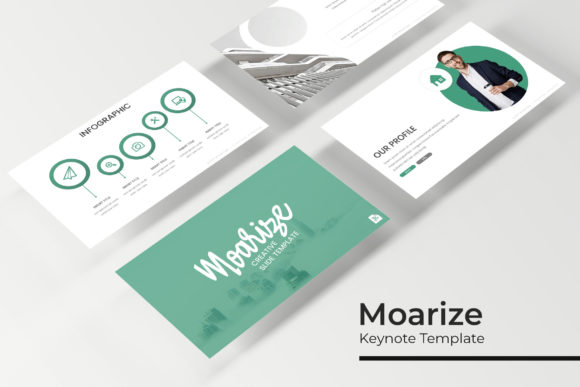
Moarize Keynote Template: A Complete Presentation Toolkit
Finding a presentation template that feels both premium and practical can transform how you communicate ideas. The Moarize Keynote Template is designed to do exactly that, offering a comprehensive suite of slides for professionals who value clean design and visual impact. This isn't just another slide deck; it's a thoughtfully crafted system built to make your next pitch, portfolio, or report look exceptionally polished with minimal effort.
At its core, Moarize provides over 150 total slides, organized into five distinct premade color themes. Each color variation includes 30 meticulously designed slides, giving you a cohesive and versatile starting point. Whether you're presenting a brand identity, showcasing a portfolio, or breaking down complex data, the structure is already there. The templates are built on master slides, ensuring every element is pixel-perfect and fully editable. You can easily resize graphics, drag and drop your own images into placeholders, and adapt the entire layout to your brand's aesthetic in minutes.
Key Features That Streamline Your Workflow
The true value of a premium template lies in the details that save you time. Moarize includes handcrafted infographics, section break slides, and dedicated gallery layouts. These elements are often the most time-consuming to create from scratch. Having them ready to customize means you can focus on your message rather than design mechanics. The inclusion of free font download links also removes a common hurdle, ensuring your presentation looks exactly as intended right out of the box.
- Effortless Customization: With picture placeholders and a master slide-based system, swapping content is intuitive. This design flexibility is crucial for maintaining visual consistency across different projects.
- Professional Visual Assets: The pixel-perfect illustrations and infographics elevate your data storytelling, making complex information more digestible and engaging for your audience.
- Ready for Any Scenario: From client pitches and internal reports to creative portfolios and educational workshops, the template's variety supports a wide range of professional contexts.
Choosing and Using the Template Effectively
When incorporating a tool like Moarize into your workflow, a few tips can enhance your results. First, align the chosen color theme with the mood of your project or your existing brand identity. A cohesive palette strengthens recognition and professionalism. Second, while the slides are beautifully designed, always prioritize readability. Ensure your text is clear and your visuals support rather than distract from your key points.
Consider the template as a foundation. Its strength lies in providing a strong, flexible framework that you can personalize. Test different slide combinations for your narrative flow. Use the section breaks to clearly delineate chapters in your presentation. The goal is to leverage the pre-built structure to create a seamless and compelling viewer experience, not to be confined by it.
Ultimately, investing in a well-organized design asset like this is about efficiency and quality. It empowers you to produce presentation materials that reflect a high standard of care and professionalism, which can make a significant difference in how your ideas are received. The right tools don't just make design easier; they help you communicate with greater clarity and impact.