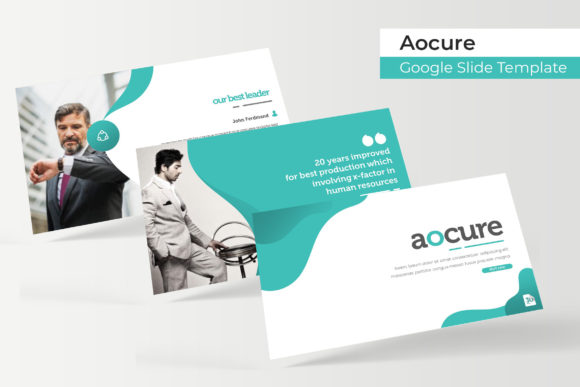
Aocure Google Slide Template: A Complete Presentation Toolkit
Elevate your next presentation from simple to stunning with a toolkit designed for modern professionals. The Aocure Google Slide Template offers a comprehensive solution for anyone seeking to create visually cohesive and impactful slideshows without the steep learning curve of graphic design software.
Understanding the Aocure Google Slide Template
At its core, the Aocure Google Slide Template is a premium design asset that goes far beyond a basic slide deck. It provides a structured yet flexible framework for building presentations. With over 150 total slides, organized into five premade color themes, you receive 30 meticulously crafted slides for each color variation. This abundance of options ensures you have the right layout for every part of your narrative, from data-heavy sections to visual portfolios.
The true value lies in its attention to detail and user-centric design. Every element is built upon master slides, guaranteeing pixel-perfect consistency throughout your presentation. The graphics are fully resizable and editable, and the intuitive drag-and-drop picture placeholders make adding your own images a seamless process. Handcrafted infographics and dedicated section break slides help you organize complex information in an engaging, easy-to-digest format.
Practical Applications and Creative Flexibility
This template set is ideal for a wide range of professional and creative projects. Consider using it for:
- Business Pitches and Investor Decks: The clean, modern typography and structured layouts convey professionalism and clarity, helping your ideas stand out.
- Portfolio Showcases: The dedicated gallery and portfolio slides provide the perfect stage to highlight your work, whether you're a designer, photographer, or architect.
- Educational and Workshop Materials: Break down complex topics with the handcrafted infographics and use the section breaks to guide your audience through a logical flow.
- Marketing and Social Media Reports: Present campaign results and analytics with style using the pre-designed data visualization slides.
The five premade color palettes offer instant brand alignment. You can quickly select a theme that matches your company's brand identity or the mood of your project, ensuring visual consistency from the first slide to the last. This makes it a valuable component in a larger toolkit of design assets, complementing other resources like premium fonts, icons, and stock imagery.
Tips for Selecting and Using This Template
To get the most out of the Aocure Google Slide Template, keep a few practical tips in mind. First, always start by reviewing the included Readme First file. It contains essential information, including the link to download the free font used in the design. Using the correct typeface is crucial for maintaining the intended aesthetic and readability.
Next, experiment with the different color themes before committing to one. Consider the context of your presentation—is it a formal corporate setting or a creative brainstorm? Choose the palette that best fits the tone. Furthermore, while the template provides a strong foundation, don't be afraid to customize. Swap out placeholder images with your own high-quality photographs to make the presentation uniquely yours. The drag-and-drop functionality simplifies this process significantly.
Finally, leverage the master slides to maintain consistency. Any change made to a master slide will automatically update all related slides, saving you time and ensuring a polished, professional finish. This feature is particularly useful for applying global changes to fonts or color accents.
Choosing a well-designed presentation template is an investment in your communication. It streamlines the creation process, enhances your credibility, and ensures your message is delivered with visual impact. The Aocure Google Slide Template provides the structure, flexibility, and creative polish needed to transform your ideas into compelling visual stories.