Borges Google Slide Template: A Complete Presentation Toolkit
Imagine presenting your next big idea with the clarity and elegance of a well-crafted story. The Borges Google Slide Template is designed to do just that, offering a sophisticated framework for professionals and creatives who need to communicate complex information beautifully. This isn't just another slide deck; it's a comprehensive design system built for impact and efficiency.
At its core, the Borges template is a premium presentation asset that transforms how you build slideshows. It provides a robust foundation, allowing you to focus on your message rather than wrestling with design inconsistencies. With its clean lines and thoughtful layout, it serves as an ideal canvas for a wide range of projects, from corporate reports and investor pitches to educational workshops and creative portfolios.
What Makes This Template Stand Out?
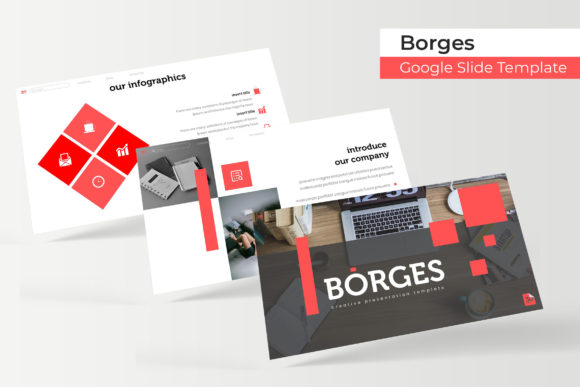
The true value of a good design asset lies in its features and flexibility. The Borges Google Slide Template excels here, offering a suite of tools that streamline the creation process. You receive a total of 150+ slides, meticulously organized across five premade color themes. Each color variation contains 30 unique slides, giving you ample room to build a cohesive and visually engaging narrative without repetition.
Key features that enhance usability and professional appeal include:
- Handcrafted Infographics: Visualize data and concepts with custom-designed charts, diagrams, and icons that are both informative and aesthetically pleasing.
- Section Break Slides: Clearly delineate different parts of your presentation for better audience flow and comprehension.
- Gallery and Portfolio Slides: Showcase work, products, or case studies in a clean, grid-based layout that puts your content front and center.
- Pixel-Perfect Illustrations: Every graphical element is sharp and scalable, ensuring your presentation looks crisp on any screen or projector.
- Drag & Drop Functionality: Picture placeholders are designed for easy customization. Simply drag your images into place, and they will automatically resize and fit perfectly.
- Master Slide Based: Built on a master slide system, making global changes to fonts, colors, or logos quick and effortless, ensuring design consistency throughout.
Practical Applications for Your Projects
Considering this template for your next project? Its versatility makes it suitable for numerous scenarios. For startups and businesses, it’s perfect for crafting compelling pitch decks that tell a clear story and impress potential investors. Marketing teams can use it to develop campaign overviews, social media strategy presentations, or quarterly reports that are both data-rich and visually engaging.
Educators and trainers will find the structured layouts invaluable for creating lesson plans, workshop materials, or conference talks that keep learners engaged. Creatives and freelancers can leverage the portfolio slides to present design work, photography, or writing samples in a professional manner that elevates their personal brand. The included variety ensures you can match the template’s mood to your brand identity, whether it’s modern, corporate, or innovative.
Tips for Choosing and Using Presentation Assets
When selecting any design asset, including a template like Borges, consider a few key points. First, assess the overall aesthetic and ensure it aligns with your project’s tone—whether it’s formal, creative, or technical. Second, review the included features. Do you need data visualization tools, portfolio layouts, or section dividers? The Borges template’s extensive library covers these bases.
Third, think about your workflow. A template based on master slides, like this one, saves significant time by allowing batch edits. Finally, always check the license and what’s included. This package provides the essential PPTX files and a readme document with font information. Remember, the preview images are for illustration; your own content will bring the slides to life.
Ultimately, the right presentation toolkit does more than make slides look good—it enhances communication, reinforces professionalism, and builds confidence. A well-designed framework like the Borges Google Slide Template provides the structure needed to present ideas with clarity and visual polish, turning a standard presentation into a memorable experience for your audience.