Transform Photos with Art Stick Photo Template
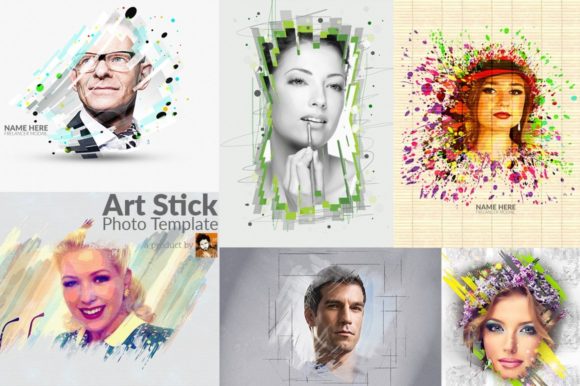
Imagine turning your everyday photographs into captivating pieces of art with just a few clicks. The Art Stick Photo Template offers exactly that, providing a seamless way to apply an artistic, textured look to your images. This isn't just a filter; it's a comprehensive design asset that empowers creators to produce unique, professional-looking visuals without extensive photo editing skills.
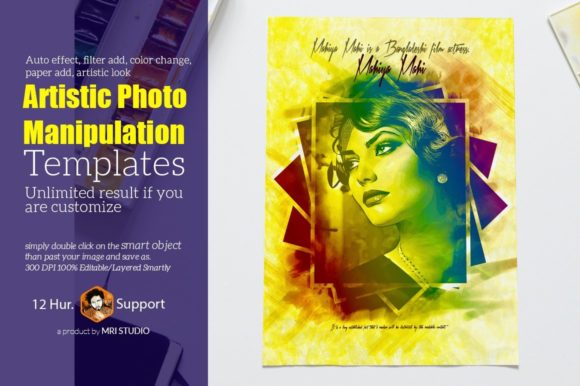
At its core, this template is a premium design asset built for versatility and ease of use. It functions as a sophisticated photo mock-up, utilizing smart object placement in Adobe Photoshop. This means you simply paste your image into a designated layer, and the template automatically applies a suite of effects—like a paper texture overlay, color grading, and an artistic filter—to create a cohesive, handcrafted result. The editable/layered structure, organized across six PSD files, gives you complete control to tweak every element.
Why Designers and Creators Love This Template
The appeal lies in its ability to deliver unlimited results. Whether you're working on brand identity materials, poster design, or engaging social media graphics, this template adapts to your vision. The artistic look it imparts is perfect for projects that need a touch of authenticity and texture, such as:
- Packaging Design: Create mockups for product labels or boxes that stand out on the shelf.
- Editorial Layouts: Enhance blog images or magazine features with a consistent, hand-rendered style.
- Digital Products: Design unique thumbnails, banners, or assets for online courses and digital downloads.
- Personal Projects: Craft memorable invitations, greeting cards, or photo gifts.
The template's high-resolution output (3000x2250 pixels at 300 DPI) ensures your creations are print-ready, while the RGB color mode maintains vibrant on-screen display. It’s compatible with a wide range of Photoshop versions, from CS4 to the latest CC, making it accessible to many users.
Practical Tips for Integration into Your Workflow
To get the most out of this tool, consider how its creative font pairing and effects align with your project's mood. The included Lato font is a clean, modern sans serif font that complements the textured art style without competing for attention. This thoughtful pairing is a lesson in font pairing—choosing a typeface that enhances the overall aesthetic.
When using the template, experiment with the color change and filter add features. You can adjust the hue and saturation of the applied effects to match your brand's color palette or the specific atmosphere you're aiming for. Because the file is smartly organized & grouped, you can easily isolate and modify individual layers, such as the paper texture or color overlay, for precise customization.
Remember, the goal of any design asset like this is to save time while elevating quality. It helps maintain visual consistency across a series of images, which is crucial for building a recognizable brand identity. By incorporating a tool that provides a polished, artistic look, you ensure your projects—whether a logo presentation or a web banner—communicate professionalism and creative care.
Choosing the right template is about finding a balance between style and functionality. The Art Stick Photo Template delivers a unique aesthetic that can make your work stand out, all while offering the practical, editable controls needed for real-world application. It’s a valuable addition to any designer's toolkit for projects that demand a touch of handmade charm.